Updating Your Preferences (All Users)
My Profile
The My Profile section allows you to update your contact information and preferences:
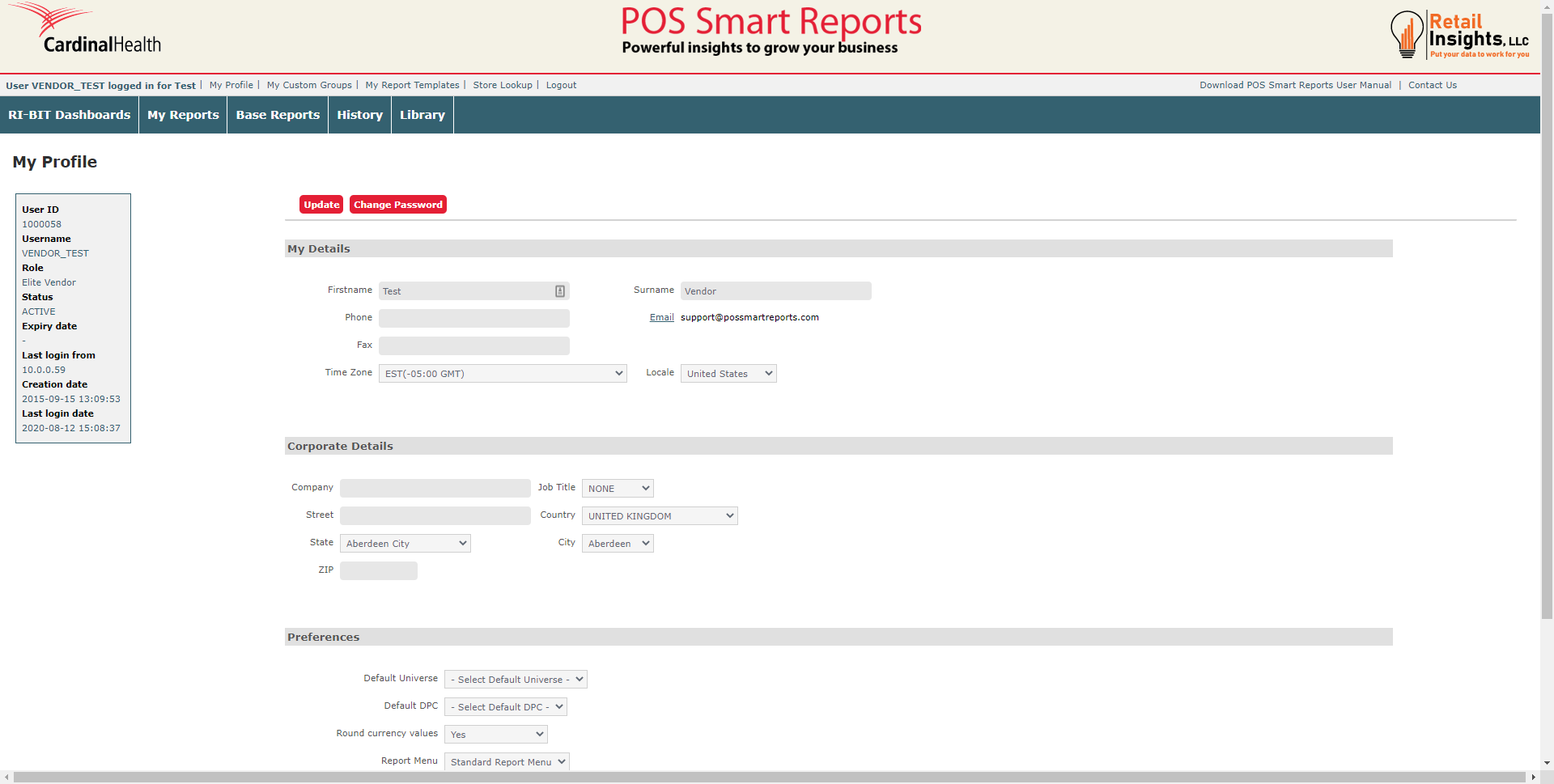
The first two sections of the page allow you to update you and your company's contact information. If you need to update your email address, please contact our support team by clicking the Contact Us button at the top right of your screen.
The last section, Preferences, allows you to update how you view your POSSR portal. You can choose to update your Landing Page to Library (It is automatically set to Ri-BIT for Platinum users. It is automatically set to My Reports for Platinum Plus users.) and you can choose a default Ri-BIT dashboard.
Once you have completed your updates, click the Update button.
Change Password
You have the option to change your password or memorable word by clicking on the My Profile link at the top of your page. Click on the Change Password button to reset your password.
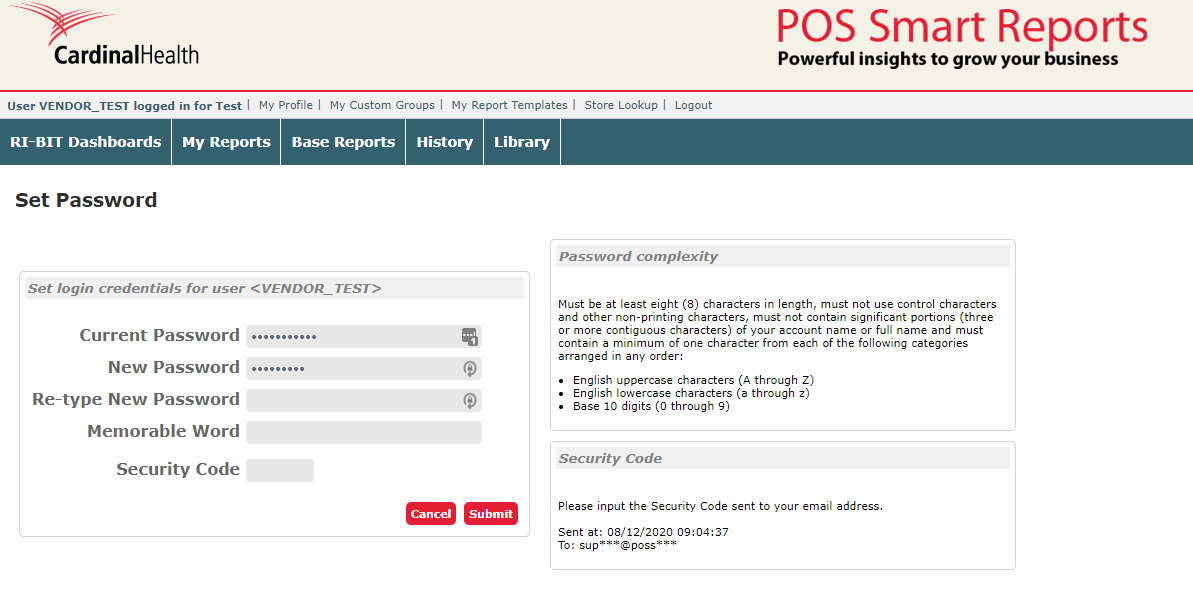
You may choose to only reset your password, only reset your memorable word, or reset both. Prior to resetting, you will be required to enter your security code. On the right side of your screen, you will see where and when the security code was sent to you.